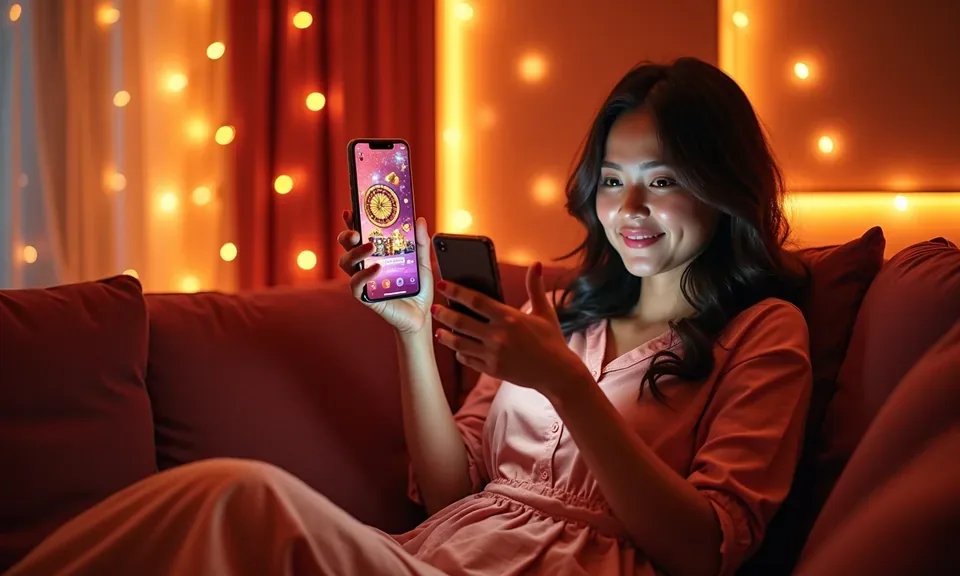
The plusbingo mobile experience runs through your phone browser — no separate install required to reach your account, the game lobby or your GCash-linked wallet. Access depends on local law and eligible regions; open the site on your current device to check availability and review the steps shown on the account page.
If you run into an issue while accessing plusbingo on your phone — trouble loading the lobby, a login prompt that won't clear, or a question about your account wallet — the help paths below are the right starting points. Each channel is set up to handle mobile-specific questions, including browser behaviour and account recovery. Check the Help section inside your account dashboard for the most current contact details and response options available in your region.
App Support Chat
Use the live chat link visible after you sign in. It connects you to the support team for mobile browser questions, account access issues and wallet queries. Check the chat availability status shown on the Help page of your account.
Email Support
Send a detailed message through the contact email listed in the Help section of your account. Describe the device, browser version and the specific step where the issue appeared so the team can respond with the right fix.
Device Access Guide
The account Help section includes a mobile access guide covering supported browsers, screen layout tips and the steps to reconnect your GCash or Maya wallet after a session timeout. Check there before trying a reinstall or cache clear.
SAFE MOBILE HABITS
Check These Before You Sign In on Mobile
Accessing your account from a phone browser adds a few extra steps worth confirming before you enter your credentials. The four checkpoints below are not about fear — they are the practical habits that keep your wallet and account data under your own control. Each one takes under a minute and is worth doing every time you switch to a new device or network.
Verify the Domain
Before entering your password, confirm the URL in your browser bar shows the current plusbingo address. Bookmark the verified domain so you always open the right page, not a lookalike. This single step blocks the most common account-access risks on mobile.
Check Published Device Guidance
The Help section of your account lists the browsers and screen sizes that render the lobby correctly. Check that page after any major phone or browser update, since layout changes can affect how the game lobby and wallet rows display on your screen.
Protect Your Credentials
Use a unique password for your plusbingo account and avoid saving it to shared devices. If your phone supports a screen lock, enable it before playing. Your account wallet — linked to GCash, Maya or GrabPay — is only as safe as your device access.
Use the Published Recovery Path
If you lose access to your account on mobile, follow only the account recovery steps published on the login page. Do not use third-party recovery tools. The official path asks you to verify the email or phone number linked to your account before restoring access.
INSIDE MOBILE BROWSING
Explore the plusbingo Lobby on Your Phone
Opening plusbingo on a mobile browser gives you a resized, touch-friendly layout where the main navigation — lobby categories, account wallet and Help — stays accessible from the top of the screen. The game discovery rail presents categories including slots, live casino tables, bingo rooms like Bingo Night Manila, and the sports betting section covering basketball and other markets.
MOBILE PAGE FEATURES
What the Mobile Browser Layout Gives You
The mobile browser layout is designed around the way you actually navigate on a phone — one thumb, one screen, multiple sections of the lobby available without reloading. Each feature below describes something you can verify directly in the mobile view after signing in. These are rendered-page behaviours, not native app features; they work in a current, updated mobile browser without any download or installation step.
Horizontal Game Rail
The lobby loads a scrollable horizontal rail of game categories. Bingo Night Manila, Hi-Lo Cards, slot rooms and the sports betting section all sit in this rail. Tap a category to expand it; tap a title to open the game page directly within the same browser window.
Account Dashboard Access
Your account icon is pinned to the mobile header. Tap it at any point to check your current wallet balance, review recent transaction records and reach account settings. The dashboard layout adjusts to portrait and landscape screen orientations without requiring a browser reload.
Responsive Sign-In Form
The login form scales to any screen width and supports autofill from your phone's credential manager. After signing in, the session persists through the browser until you log out manually or the session timer shown in your account settings expires.
Help and Chat on Mobile
The support chat and Help page load fully in a mobile browser window. If you switch between the game lobby and the chat panel, your account session stays active. All published contact options — chat, email — are reachable from the Help icon in the mobile header.
THREE ACCESS STEPS
Mobile Access in 3 Steps
Getting your plusbingo account running on a phone takes three steps through your existing mobile browser. There is no APK to locate, no app store listing to search and no native install process to complete. The steps below describe the browser path. Availability of all features depends on local law and the eligible region you are accessing from.
Open the Verified Site
Type plusbingo into your mobile browser address bar or use your saved bookmark. Confirm the address shown matches the official domain before you enter any account details. The page should load the full lobby layout sized for your screen.
Check Browser Compatibility
The lobby renders correctly in current versions of Chrome, Safari and other modern mobile browsers. If the layout looks broken or a game room does not load, check the device guidance in the Help section of your account — it lists the browser versions that display the mobile layout as intended.
Sign In Securely
Tap the account icon at the top of the page and enter your registered email and password. Use your phone's autofill only on a private, personal device. After signing in, your wallet balance — including any GCash or Maya linked amounts — is visible in your account dashboard immediately.
Save to Home Screen (Optional)
Use your browser's Add to Home Screen option to create a shortcut that opens plusbingo in one tap. This is a browser shortcut, not a native app. It does not install software on your device; it simply saves the verified URL for faster access next time.
DEVICE CHECK LIST
Check Your Device Before You Start
The plusbingo mobile layout is built to work across a range of current phone models and browsers used in the Philippines. Before your first session, run through the checklist below to confirm your device and account are set up correctly. If any item does not match, the account Help section describes the adjustment steps. Feature availability and access to specific game rooms depend on your region and whether local law permits access.
Browser Version
Use a current, updated version of Chrome or Safari for mobile. Older browser versions may not render the horizontal game rail or the account dashboard layout correctly. Check your browser version in the phone settings or the browser's own About page.
Screen Layout
The lobby layout is designed for portrait and landscape orientations on standard smartphone screens. Tablet screen sizes also work; the game rail expands to fill the wider display. If spacing looks off, a browser zoom reset to 100 percent usually corrects it.
Account Requirements
You need a registered plusbingo account to reach the full game lobby and your wallet on mobile. The registration and verification steps are the same as on desktop; complete them on any device and your account carries across. Your GCash or Maya wallet link is set in the account payment settings.
Region and Access Check
Access to some game rooms and features depends on local law and the eligible region you are in. If a section of the lobby is not visible on your mobile device, check the region notice shown on that page rather than assuming a browser error. The Help section explains what is available where access is permitted.
Currently Supported Devices
The Help section of your account lists the device types and browser combinations that the mobile layout is actively tested on. Check that page after a major phone operating system update, since OS changes sometimes affect how the browser renders the game lobby and payment screens.
APP QUESTIONS ANSWERED
What You Want to Know About the plusbingo App
These are the questions we hear most from players who want to access plusbingo on their phone. Each answer describes what is actually available in the mobile browser experience and where to verify specific details in your own account.
Is there a plusbingo app I can download from the App Store or Google Play?
At this time, access to plusbingo is through the mobile browser at plusbingo. There is no listing to search on the App Store or Google Play. Open the verified domain on your phone and the lobby loads in a mobile-sized layout without any download step.
Can I sign in to my plusbingo account on my phone?
Yes. Your account credentials work on any device. Open plusbingo in a current mobile browser, tap the account icon and enter your registered email and password. Your wallet balance, transaction history and game lobby are all accessible from the same sign-in on mobile.
Does the mobile browser version show the full game lobby, including Bingo Night Manila?
The mobile layout includes the full game discovery rail — bingo rooms like Bingo Night Manila, slots, live casino tables including Speed Baccarat Live, and the sports betting section. Some rooms may be limited by region. Check the availability notice on any room that does not load for your region.
Can I use GCash or Maya from my phone while playing on mobile?
Your account wallet — including any GCash or Maya link you set up — is visible in the account dashboard on mobile. Access the dashboard through the account icon in the mobile header. The payment settings page where wallet links are managed is also accessible from a mobile browser session.
What should I do if the plusbingo mobile page does not load correctly?
First, confirm you are on the correct URL — plusbingo. Then check your browser version and try a cache clear. If the layout is still broken, the device guidance page in your account Help section lists the tested browser versions. Support chat is also available from the Help icon in the mobile header.
Is it safe to access my plusbingo account from a mobile browser?
Use a personal, private device and verify the domain before signing in. Enable a screen lock on your phone and use a unique password for your account. Follow only the published account recovery path on the login page if you lose access. These steps keep your account and linked wallet secure on mobile.
 App / Live